
Microsoft Publisher Is Retiring. What Now for Your Lodge Summons?
29/09/26
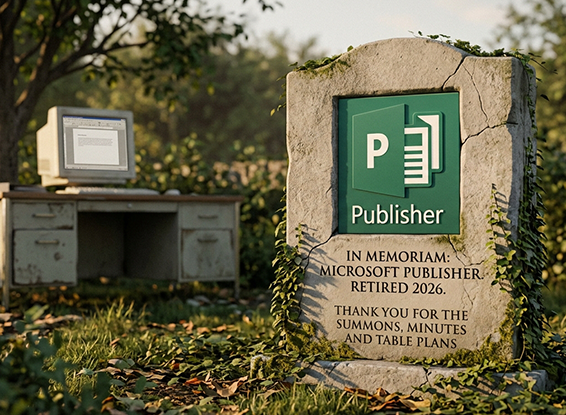
For a great many Lodges, the summons has been made the same way for years. A Publisher file, handed down from Secretary to Secretary, opened a few times a year, names and dates changed, then printed, folded and posted.
That way of working has quietly reached the end of the road.
Microsoft Publisher is being retired
Microsoft has confirmed that Publisher is being retired in October 2026. In practice, that means:
- From 1 October 2026, Publisher is no longer included in Microsoft 365, and subscribers can no longer open or edit .pub files with it.
- If you own a one-off copy (for example Office 2021), it will keep working, but support ends on 13 October 2026 and it will receive no further updates or fixes.
- Your files are not deleted, but very little other software opens .pub files properly, so a summons saved only as a .pub file is at real risk of becoming a file nobody can edit.
If your Lodge's summons, Installation booklet or Festive Board menu lives in Publisher, now is the time to act.
First things first: protect what you have
Whatever you decide to use in future, please do this now:
- Gather up every .pub file the Lodge relies on. The summons, of course, but also menus, table cards, Ladies' Festival programmes and letterheads. Check the old laptop, the USB stick and your predecessor's emails.
- Save a PDF copy of each one while you can still open it in Publisher (File, then Save As, choosing PDF). That gives you a faithful record of exactly how it looked.
- Keep the original .pub files as well. Don't delete them.
If Microsoft 365 has already locked you out, a Brother with an older, one-off copy of Office may still be able to open them for you. The free LibreOffice suite can also open many .pub files, although complex layouts don't always survive the trip.
Why swap one desktop program for another?
The obvious move is to rebuild the summons in Word or another design program. That solves the file problem, but not the real one.
Every month you would still be retyping the same things: the date, the agenda, the Officers, the forthcoming meetings, the dining arrangements. And the summons would still live on one person's computer, ready to cause the same headache at the next handover.
This is exactly the problem we set out to solve.
The Summons Creator
We launched the new Summons Creator in The Working Tools this week, and the timing could hardly be better.
You build your summons page by page from blocks, on a true-scale page, so what you see on screen is what prints. The difference from Publisher is that most of those blocks fill themselves in from your Lodge's records:
- Agenda items marked "For the Summons", numbered automatically
- Your Officers and Past Masters
- Forthcoming meetings
- The dining notice and contact details
- Traditional summons wording, with the live names and dates dropped in
Alongside those sit ordinary text and image blocks, your Lodge crest, column layouts and Odes, so there is room for everything a traditional summons carries.
There is a gallery of ready-made templates to start from, including four-page A5 booklets for Craft and Royal Arch, and you can preview each one page by page before choosing. Your house style (logo, colours, text sizes and date format, including the Masonic year A.L.) is set once and applied throughout.
When you press Publish, you get an A4 double-sided print pack that folds and nests into a booklet, an optional guide on how to print it, a digital PDF for email, and an optional book-view copy. Everything is saved to the event's Documents tab. Before it publishes, it also checks your work: if something can't be filled in, or a page runs off the bottom of the paper, it tells you exactly where to look.
And next month? Most of it is already done.
You can read the full guide at theworkingtools.co.uk/help/summons-creator. And if you would rather keep designing your summons elsewhere, that is fine too: you can still upload a Word document summons to any event.
Our offer: send us your Publisher summons, and we'll rebuild it for you
We know the hardest part of changing is the first summons. Your Lodge's layout has probably been refined over decades, and nobody wants to start again from a blank page.
So here is our offer. Send us your Lodge's Publisher summons, and we will rebuild it as a Summons Creator template in your account, with your crest, your wording and your Odes, laid out to match your existing design as closely as we can. Your first summons in The Working Tools should look like your summons, not ours.
- It's free of charge.
- It's open to every Lodge, whether you already use The Working Tools or you are starting a free trial today.
- Send the .pub file, and a PDF copy if you have one. The PDF shows us exactly how it should look. If you can only send a PDF or a scan, send that and we'll work from it.
- The offer runs throughout 2026.
To take us up on it, email info@theworkingtools.co.uk with your Lodge name and number and attach your files.
One honest caveat: a handful of very elaborate Publisher layouts won't translate block for block. Where that happens, we'll tell you what we have changed and why before you use it, so there are no surprises when it lands on the Brethren's doormats.
Don't leave it until the next summons is due
Microsoft's deadline doesn't move, and neither does your next meeting. Rescue your .pub files this week, and let us take the rebuilding off your hands.
The Working Tools is a secure, cloud-based platform built specifically for Lodge Secretaries. It brings your member records, meeting planning, summons, minutes, attendance tracking and more into one place, so you can spend less time at the dining table and more time enjoying the Lodge.
Start your free trial and send us your summons. We'll do the rest.




 Let's chat!
